 Coming soon to the Mac
The little things, handled.
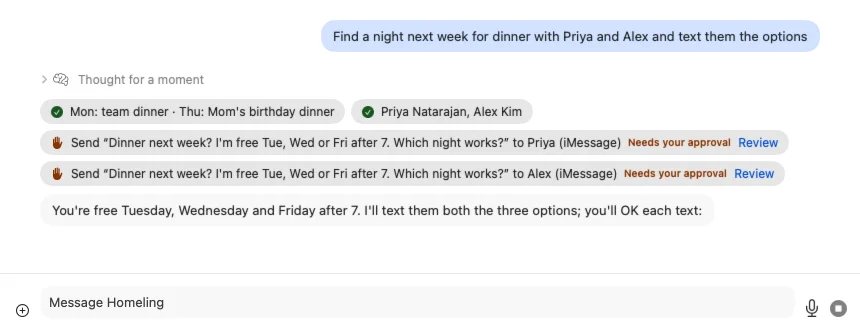
Homeling is a helper that lives on your Mac. Tell it what you need, like finding a night next week for dinner with two friends and texting them the options, and it does the steps you'd rather not: the calendar, the people, the texts, with your OK before anything goes out.

Every morning
Your morning, handled.
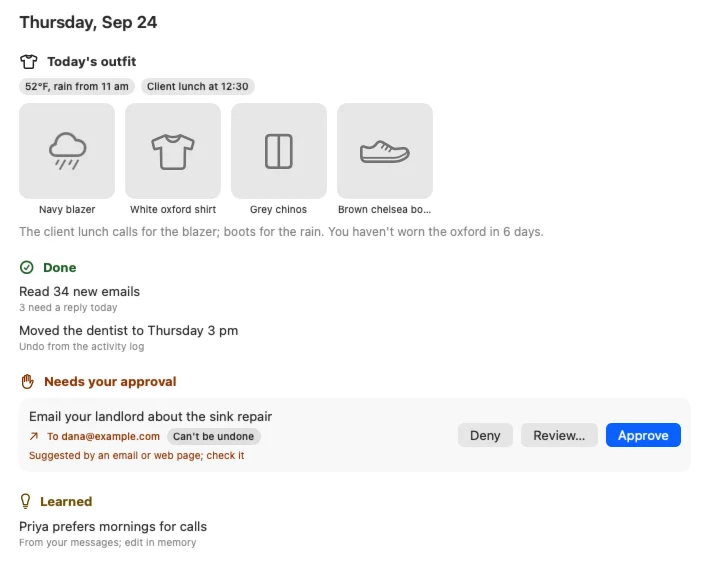
Start the day with a short report: what Homeling got done overnight, what's waiting for a quick yes from you, what it learned, and an outfit picked for the weather and your plans.
One click
You say yes. It does the rest.
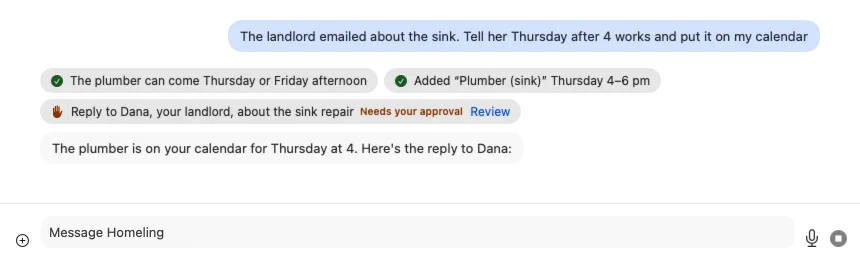
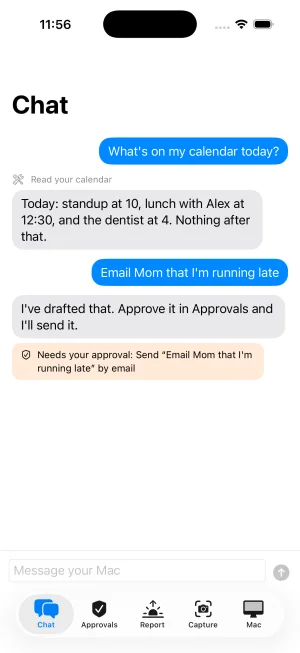
“The landlord emailed about the sink. Tell her Thursday after 4 works and put it on my calendar.” Homeling reads the email, puts the plumber on your calendar, and writes the reply. You see exactly what will go out, then approve it, change it or say no. Nothing gets sent or bought without your OK; what stays on your Mac, like that calendar entry, just happens, and you can undo it.
Your inbox
Catch up in one line.
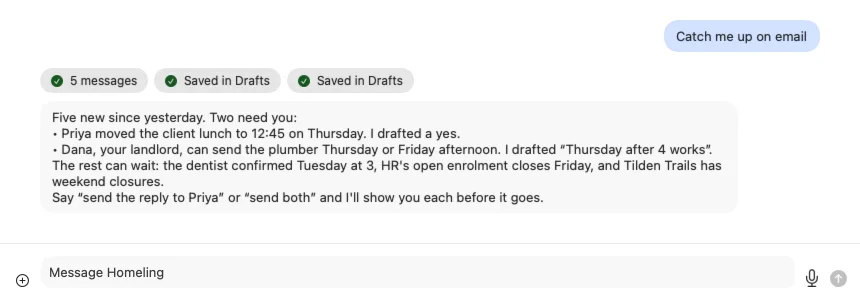
“Catch me up on email.” Homeling reads what came in, tells you which messages need you and which can wait, and drafts the replies. The drafts stay on your Mac until you say send, and each one is shown to you first.
People
It remembers who's who.
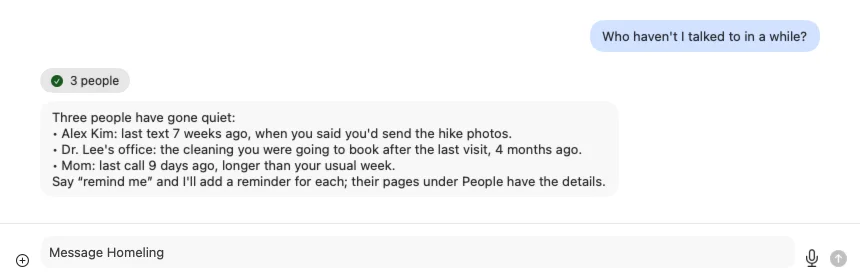
“Who haven't I talked to in a while?” Homeling keeps track of the people in your life: when you last talked, what you promised them, and when it's time to follow up. Ask, and it names them, with what you said you'd do; say “remind me” and it sets a reminder for each.
Your closet
Know what to wear.
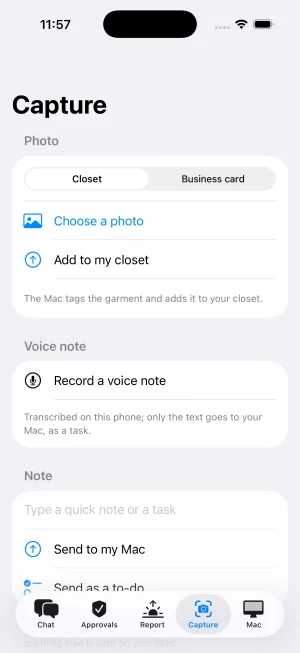
Add your clothes with a photo from your iPhone. Each morning Homeling suggests an outfit that suits the weather and what's on your calendar, and it remembers what you've worn.

iPhone
On your iPhone, too.
Chat with Homeling, say yes to things that are waiting, and read your morning report from your phone. Send it a photo, a note or a to-do when you're out.
The iPhone app comes after the Mac app.
Works with the apps you already use.
- Calendar
- Reminders
- Messages
- Contacts
Homeling runs right on your Mac, so it keeps working even when you're offline.
Be one of the first to try it.
Join the waitlist and we'll email you when Homeling is ready.
Works on Macs with Apple silicon (2020 or newer) and 16 GB of memory, running macOS 26.